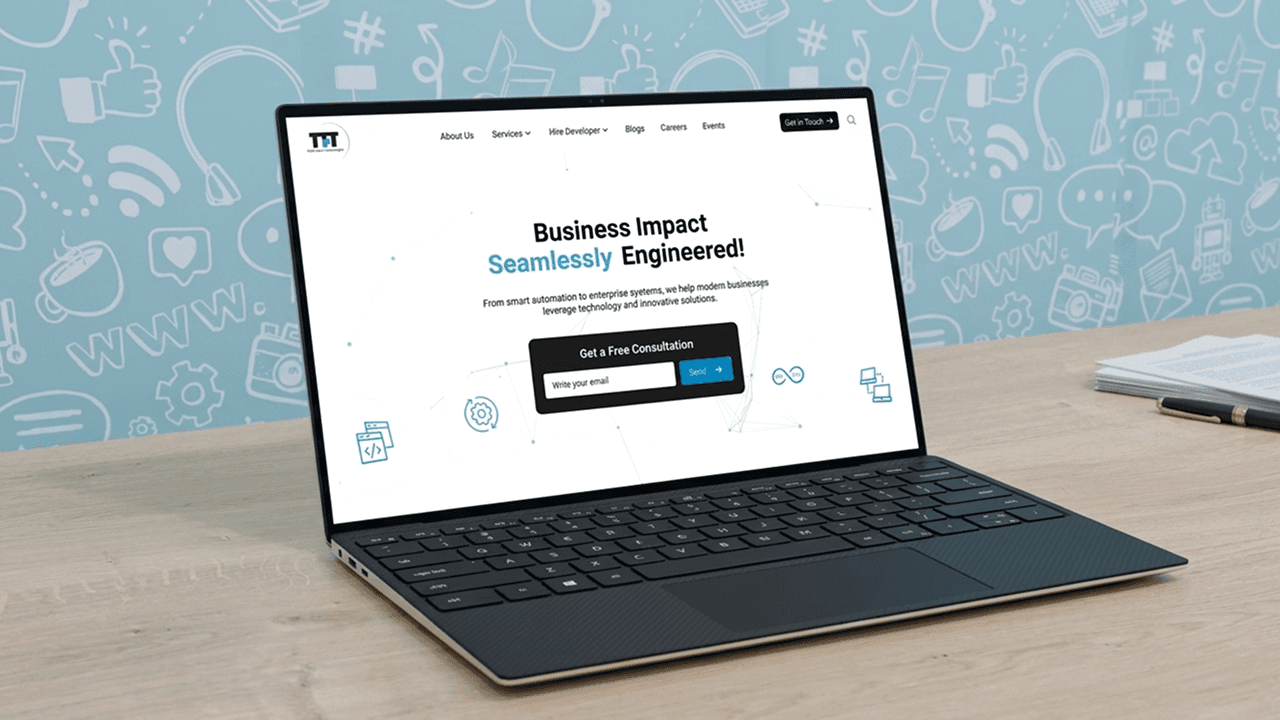
SelfBest is a B2B SaaS productivity platform focused on improving workplace efficiency through performance insights, workflow automation, and expert collaboration. The product help teams reduce friction in daily workflows, improve focus, and enable faster problem-solving through data-driven dashboards and contextual collaboration features.
Prototype Link
Web Version-: https://xd.adobe.com/view/63f1baaf-2e49-42b9-ab86-fa1ae578efaf-36a2/
Mobile Version-: https://xd.adobe.com/view/80247b24-9989-4de4-a289-712abc85f100-d577/

At-a-Glance 👀
I worked as a UI/UX designer for SelfBest's web app and mobile app platform for employees, managers, and admins, focusing on instant expert connections, time tracking, and a chat assistant. I collaborated with stakeholders, and iteratively refined based on feedback, resulting in high user satisfaction and productivity gains.
User’s Problem
Employees often get stuck while solving technical or day-to-day workflow issues, such as debugging errors, finding the right documentation, or identifying the right person for help. As a result, they spend too much time switching between chats, emails, and internal tools looking for answers, which slows down productivity and delays project timelines. Managers also lack visibility into these blockers and the expertise employees need, making it difficult to improve team efficiency and keep projects on track.
Solution
SelfBest helps employees stay focused and complete their work more efficiently by reducing the time spent searching for solutions & the right support. Instead of switching between chats, emails, and multiple internal tools, users can connect with the right expert, automate repetitive tasks, and gain visibility into how their work time is spent. The platform provides a consistent experience across both web and mobile, making it accessible.
👉 The product is currently under internal testing and iteration
Employee Flow
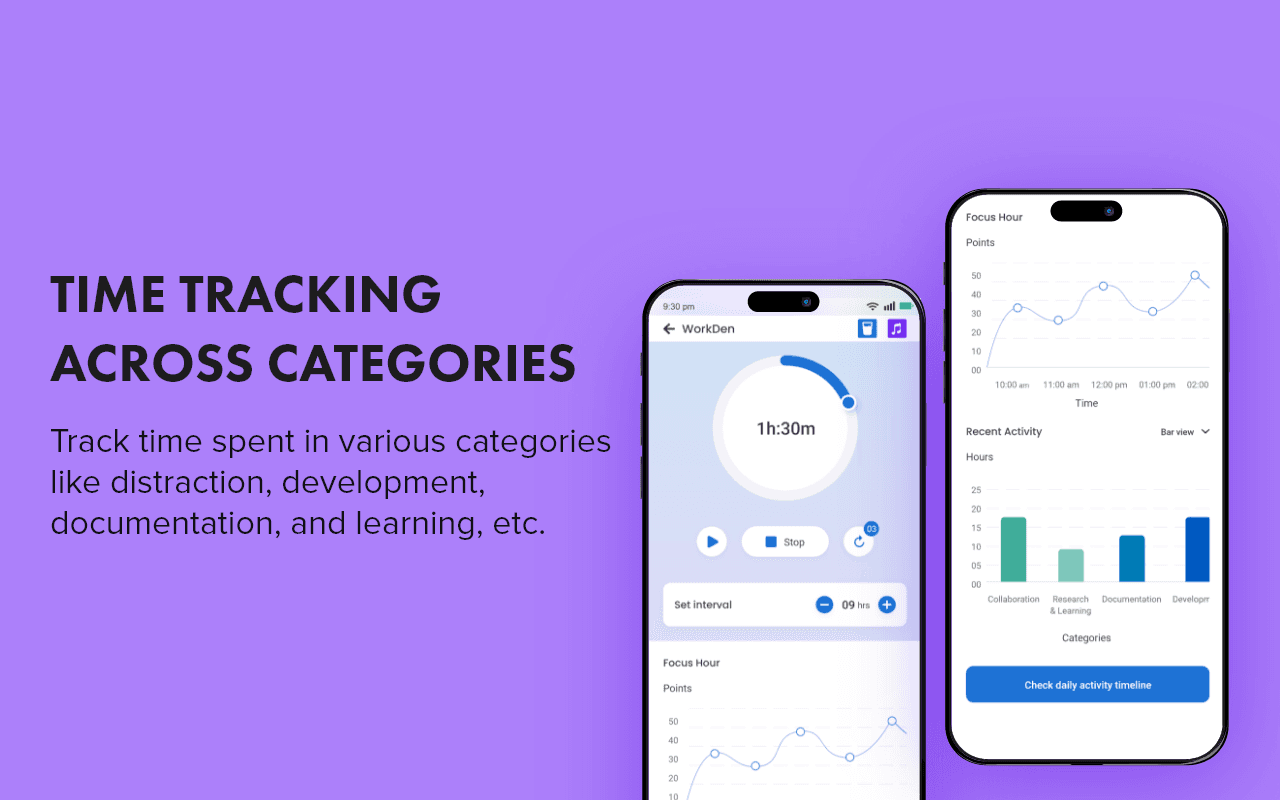
1. Time Tracking Across Categories
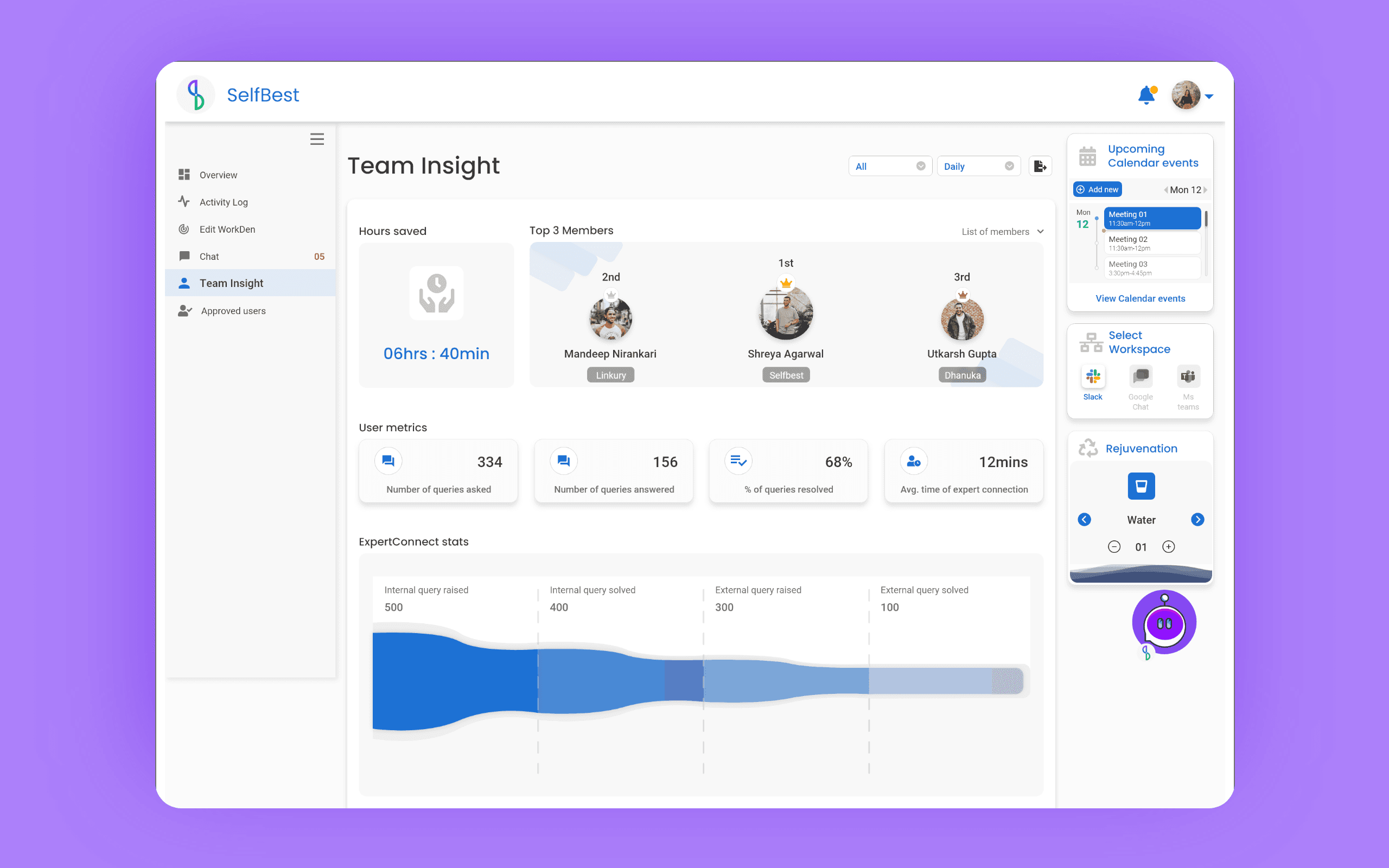
SelfBest tracks how employees spend their work time across activities like learning, documentation, development, and distractions. These insights help employees improve focus and allow managers to better understand team challenges and productivity patterns.
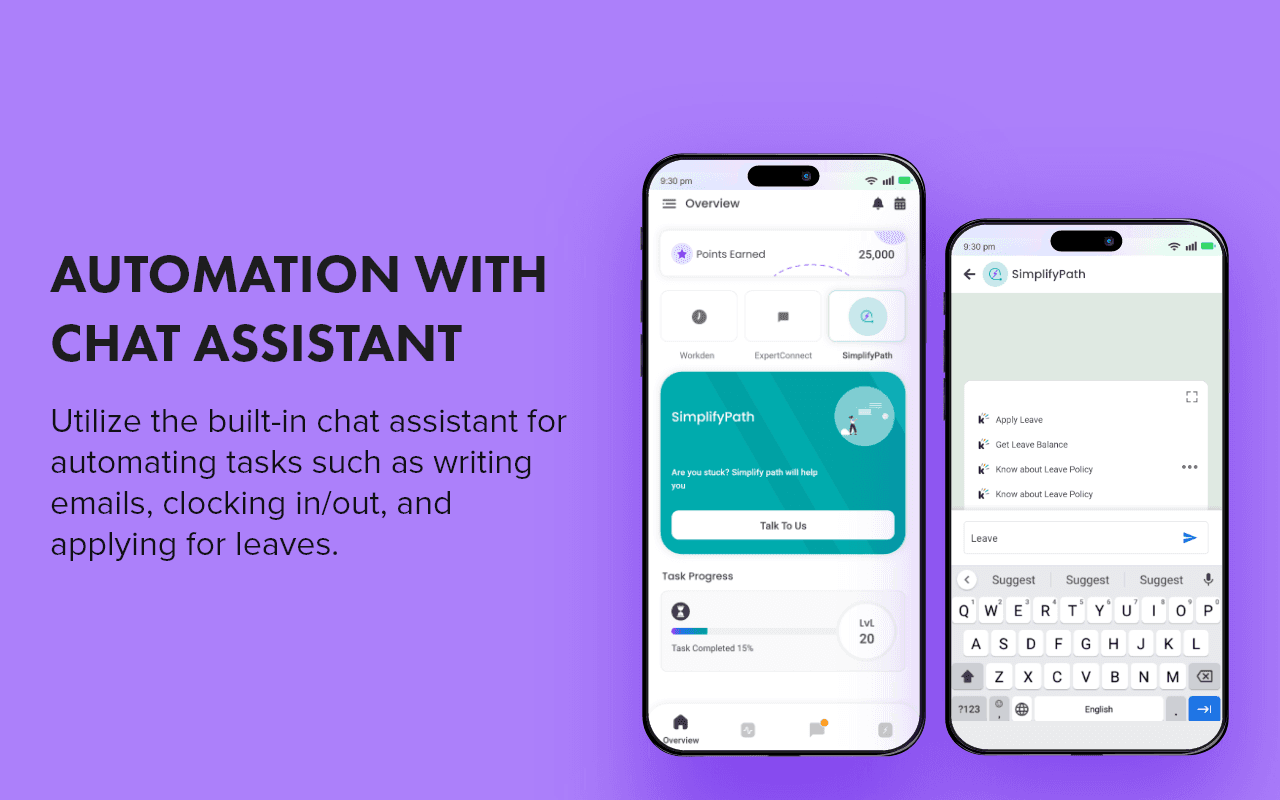
2. Automation with Chat Assistant
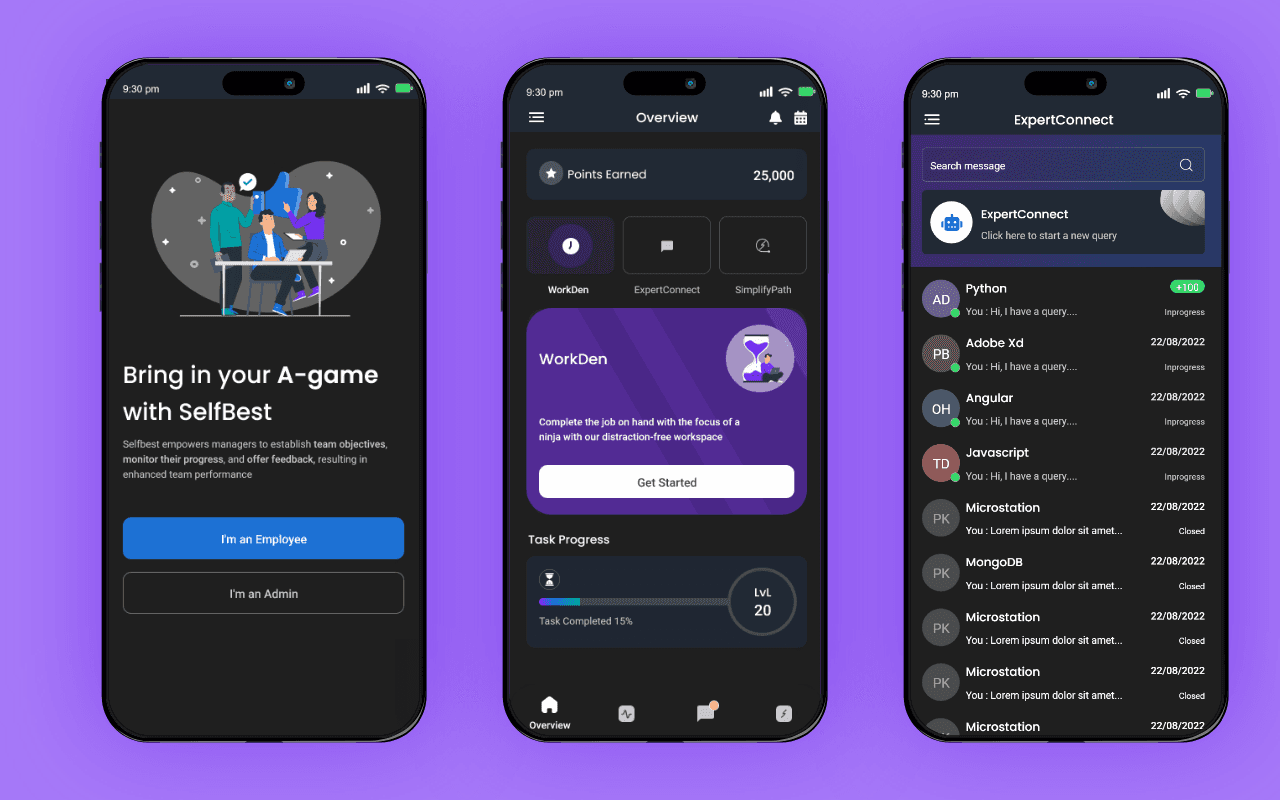
Routine tasks like writing emails, clocking in or out, and applying for leave can be handled directly through the chat assistant. Instead of switching between different apps or following multiple steps, users can complete these tasks in one place, helping reduce daily interruptions and save time.
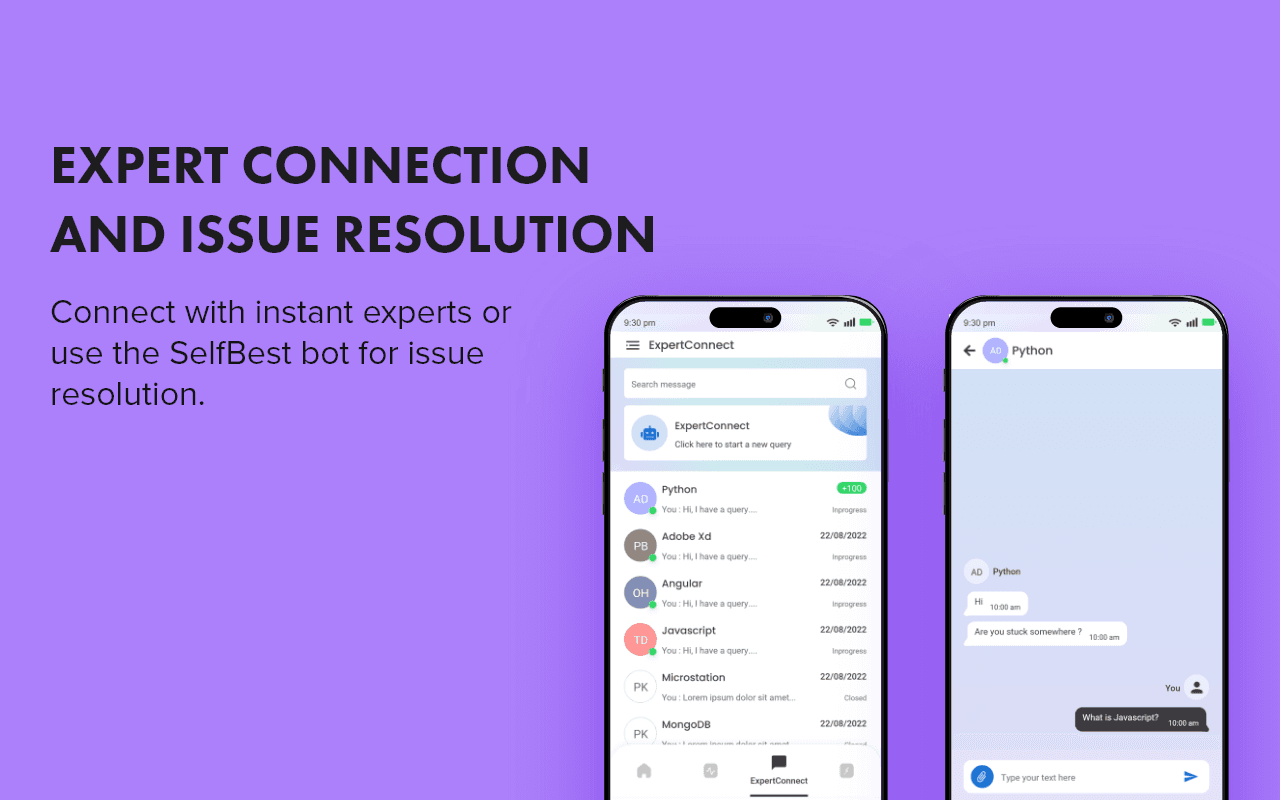
3. Instant Expert Connection and Issue Resolution
Employees can quickly connect with the right experts within the organization or get help from the SelfBest bot for common issues. This helps reduce time spent searching for solutions and enables faster problem-solving. The built-in chat system keeps communication simple and organized by reducing dependency on scattered tools and channels.
Team Manager Flow:
Track individual team members progress by monitoring their time spent on different categories
Access the same functionalities as employees
App Dark Mode / Light Mode

Process
Note: The process varied depending on the feature scope, project deadlines, and technical requirements. The focus was on delivering practical and scalable solutions within fast-paced development cycles
1. Understanding Requirements
Each feature usually started with stakeholder and product discussions where requirements, expected workflows, and business needs were shared. Based on the scope, timelines and Jira tickets were assigned for the feature.
2. Clarifying the Problem
Before jumping into design, I spent time understanding the feature context, identifying missing information, and discussing doubts with stakeholders or developers through calls and chats to avoid workflow gaps later in the process.
3. Competitive & Pattern Research
I explored similar flows, UI patterns, and interaction models from other products to understand common user expectations, layout structures, and features relevant to both web and mobile experiences.
4. User Flows & Workflow Planning
For more complex interactions or unclear requirements, I created user flows to map out user actions, edge cases, and navigation paths. This helped simplify workflows and improve clarity before moving into UI design.
5. Wireframing & UI Design
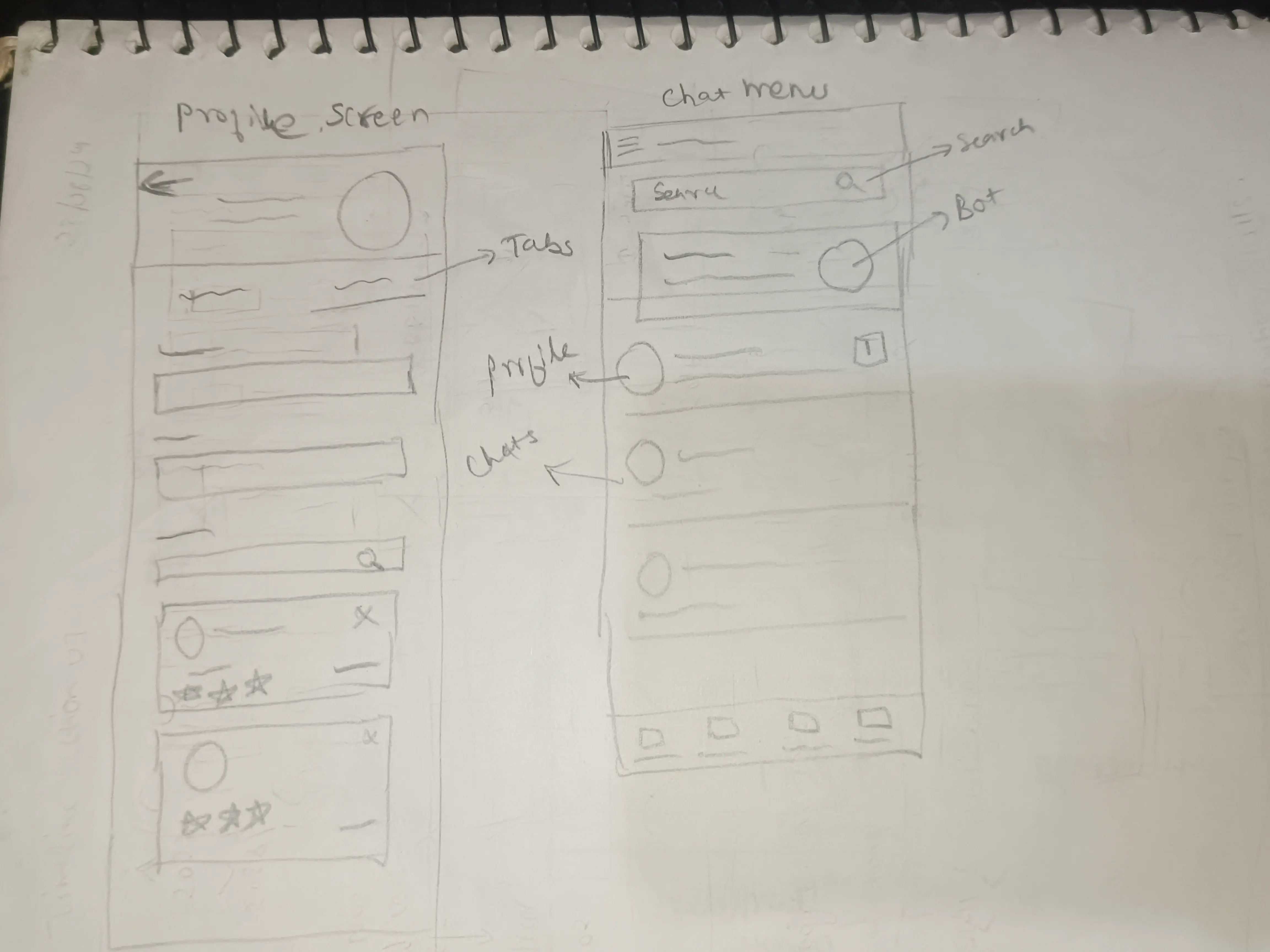
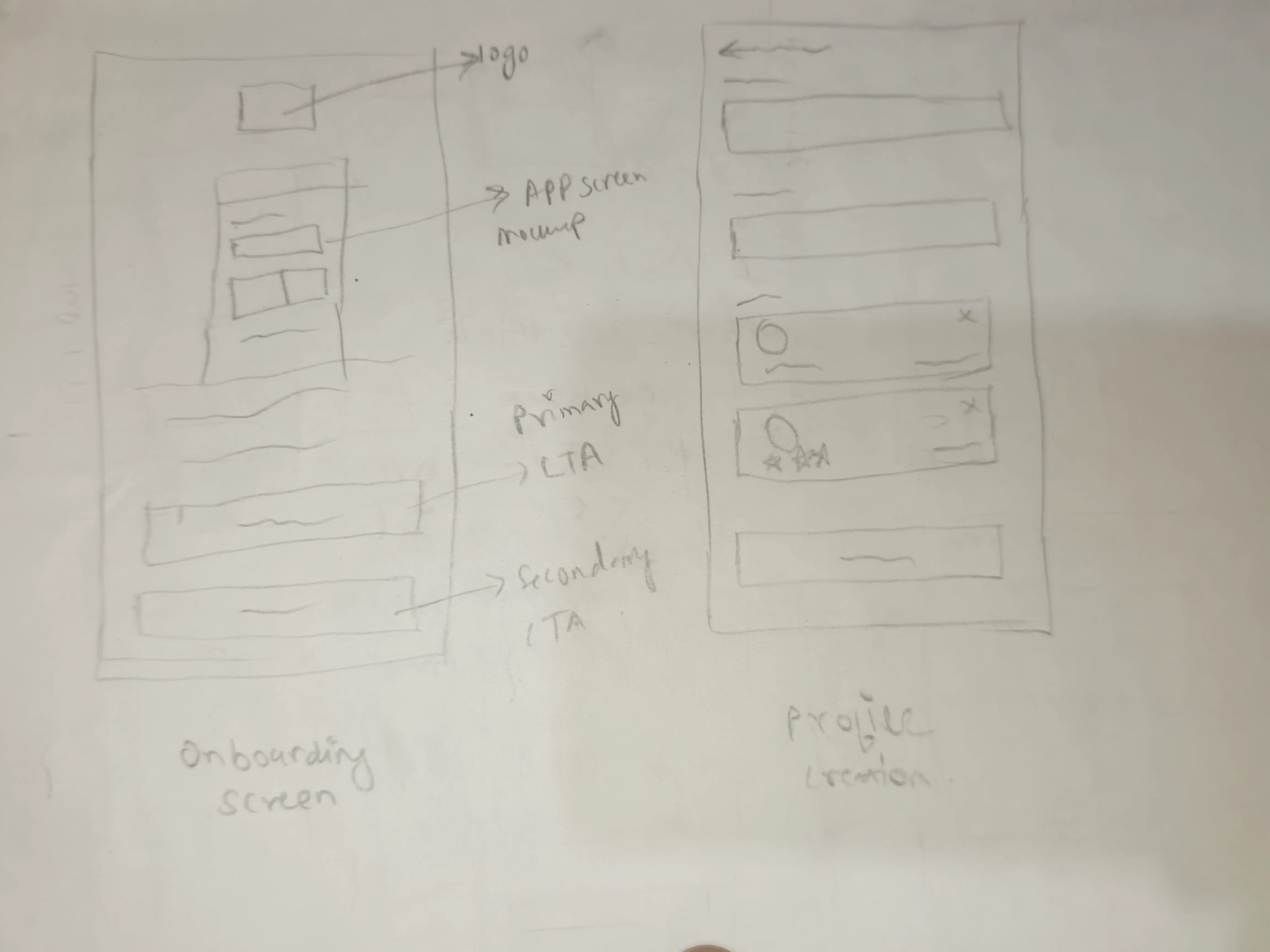
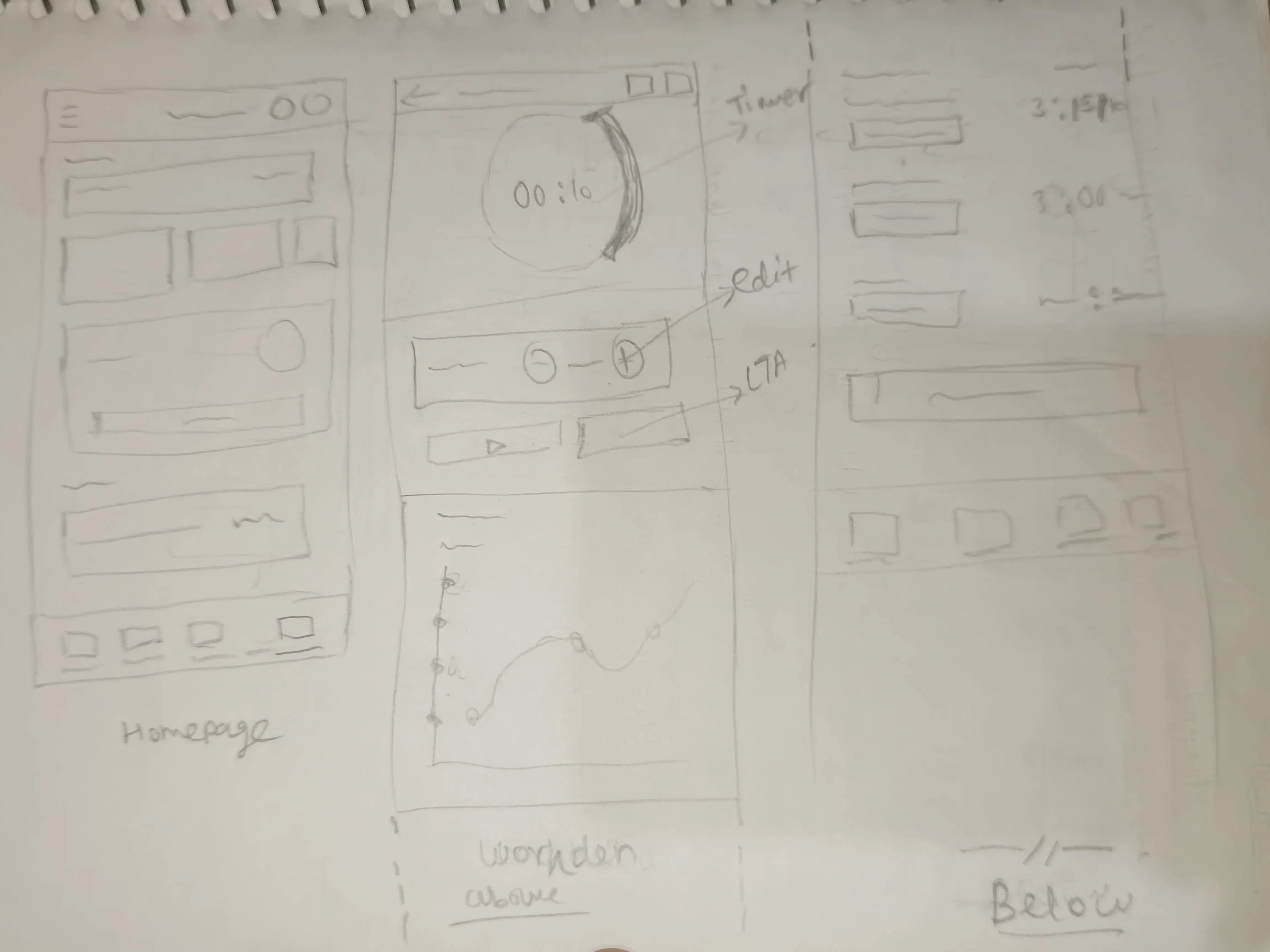
I started with quick low-fidelity sketches to explore layouts and ideas, followed by mid-fidelity wireframes for review and feedback. Once aligned, I created polished high-fidelity prototypes with responsive layouts and consistent visual design.
6. Feedback & Iterations
Designs were regularly reviewed with stakeholders and internal teams. Based on feedback, technical feasibility, and development constraints, I iterated on workflows and UI components to ensure practical implementation.
7. Developer Handoff & Build Review
I collaborated closely with developers during handoff by explaining flows, edge cases, and interaction behavior. After implementation, I reviewed builds, shared assets when needed, and provided feedback to maintain design consistency.
👇 Click to play with the prototype
🌐Website design link
https://xd.adobe.com/view/63f1baaf-2e49-42b9-ab86-fa1ae578efaf-36a2/
📱Mobile design link
https://xd.adobe.com/view/80247b24-9989-4de4-a289-712abc85f100-d577/
What I Learned 🌱
From the project, I learned the importance of user-centric design, effective collaboration with stakeholders, iterative design refinement based on feedback, and the impact of intuitive interfaces on user productivity and satisfaction.
Product Successes 👏
Users found Selfbest's redesigned interface highly intuitive, enhancing their productivity during work hours. They appreciated the easy access to expert help, streamlined time tracking, and efficient chat assistance. Positive feedback included:
"Clean and intuitive UI."👍
"Instant expert connections are a lifesaver."💖
"Tracking time has improved my focus."✌️
"Chat assistant simplifies tasks and saves time."💬